The best way to start Discounty is to prepare before the shop opens: check your challenges, order stock, keep a poster printing, and arrange shelves around the routes customers actually walk. During opening hours, protect the queue, help confused shoppers quickly, and keep dirt and cleaning equipment away from products.
These tips apply to the Android and iOS edition of Discounty: Supermarket Manager. They combine mechanics explained in Crinkle Cut Games’ official creator guide with clearly attributed mobile observations. If you are still deciding whether to unlock the complete game, read the Games Ranker Discounty review for the price, score, strengths, and mobile limitations.
Use a short morning checklist
Do not open the shop and then decide what the day needs. A two-minute plan reduces wasted walking and makes challenges easier to complete.
| Before opening | Why it matters |
|---|---|
| Check daily and weekly challenges on the computer | You can arrange the correct products before customers arrive |
| Review stock and place a delivery | Empty shelves lose sales and send shoppers searching |
| Queue a poster when the printer is unlocked | Posters take time to finish and can bring more customers |
| Move any bucket away from stocked shelves | Cleaning equipment can make nearby products less appealing |
| Clear important walking routes | Customers and the shopkeeper reach products faster |
Challenges are particularly useful because they award points for upgrades. If a challenge asks for a certain product, give that item enough shelf space and use an appropriate booster before the day begins. Trying to rebuild the aisle while shoppers are already moving through it is slower and easier to forget.
Build for customer movement, not perfect symmetry
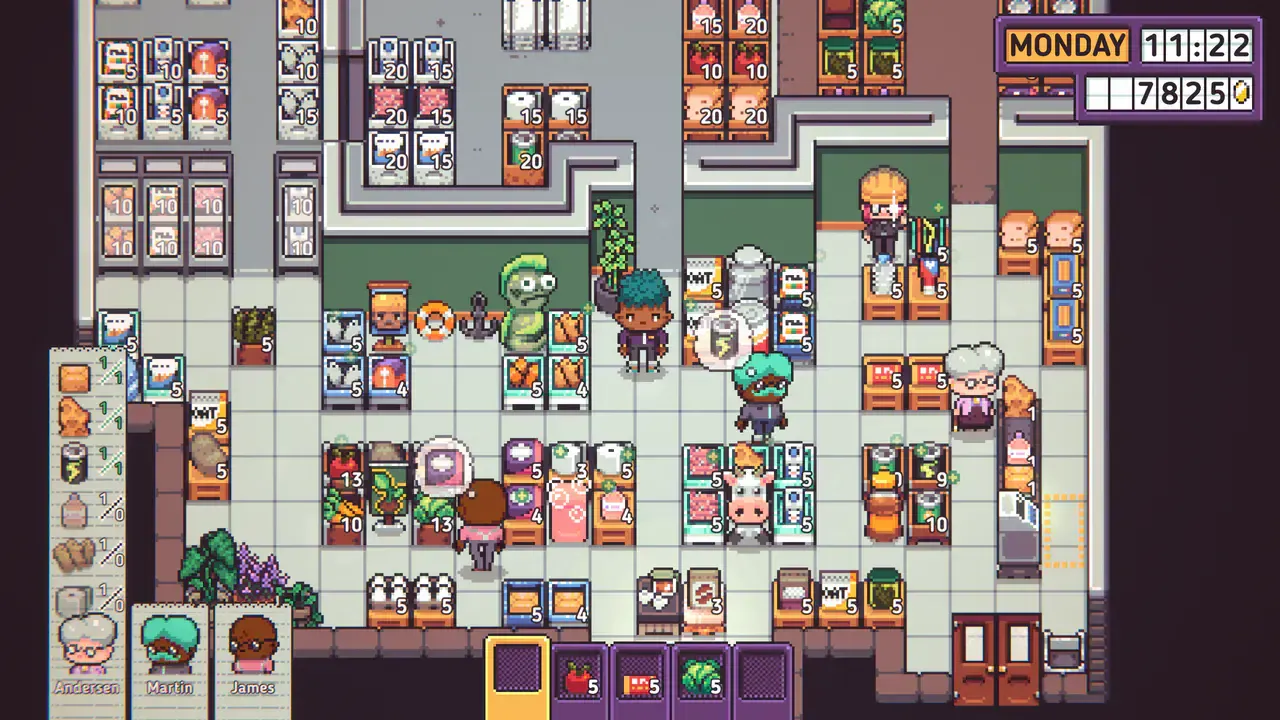
A neat shop can still be a weak shop. Discounty customers arrive with shopping lists, but they may also buy an extra product when they pass its shelf. That makes foot traffic valuable.
Place dependable, higher-margin items where many routes cross. The goal is not to block people or create a maze. It is to let shoppers naturally pass products that are worth noticing while they travel toward the items they already want.
Use this simple test:
- Watch several customers enter.
- Note the paths they use most often.
- Move one profitable product toward those paths.
- Keep enough space for shoppers to reach the shelf comfortably.
- Compare the result over several shop days before changing everything again.
Change one part of the layout at a time. If you move every aisle after each day, you will not know which decision helped.
For another planning game built around moving people, our Mini Metro overcrowding guide uses a similar approach: follow a crowded route, make one change, then check where the queue goes next.
Split important stock across useful shelf positions
One large shelf is not always the best use of stock. Each shelf a customer passes can create another opportunity for an unplanned purchase. For a product you want to promote, two smaller displays in sensible positions may work better than one display hidden at the edge of the store.
Do not apply this to every product. Repeating too many shelves wastes floor space and makes restocking harder. Start with one profitable or challenge-related item, place it along two busy paths, and keep the remaining categories easy to find.
The same rule helps with availability. If one shelf empties during a rush, a second display can continue serving customers until you restock.
Order enough stock without filling the storage room blindly
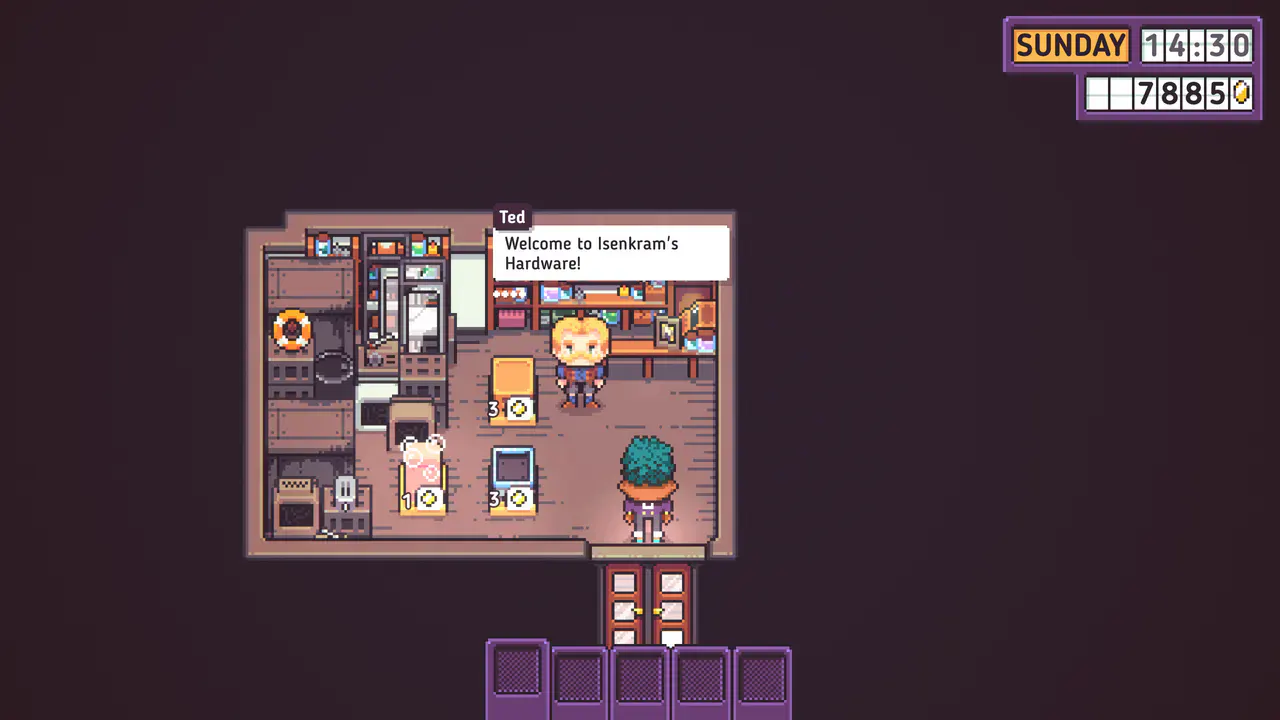
The delivery screen is a planning tool, not a reason to buy everything. Check what is selling, what a challenge needs, and how much room remains before placing the next order.
Use a basic priority order:
- Replace products customers regularly request.
- Buy enough challenge stock to finish the target.
- Protect a small reserve of reliable sellers.
- Avoid tying up all your money in slow products.
- Leave room to react when a new item or trade deal becomes available.
Unlocking more products is still valuable. The official guide explains that adding products can increase the average size of customer shopping lists. A wider catalogue therefore supports growth, but it works best when the shelves remain readable and the storage room remains manageable.
Help confused customers before they waste the day
Customers have different movement speeds, patience levels, and shopping habits. Watch the people who become lost or irritated quickly instead of treating every shopper the same.
When a thought bubble shows a product with a question mark, the customer cannot find it. Restock or guide the situation if you can. If the item is truly unavailable, interact with the customer and say it is sold out. You lose that one sale, but the customer stops wandering and growing more frustrated.
This is also a layout warning. If several people repeatedly fail to find the same available product, its shelf may be difficult to reach or easy to overlook.
Keep spills and the bucket away from products
Dirt slows movement, but it also reduces the appeal of nearby items. The cleaning bucket can cause a similar problem when left beside merchandise.
Clean busy areas early and move the bucket away after using it. A convenient storage position for the shopkeeper may be a poor position for sales, especially near a profitable shelf. Think of cleaning as part of merchandising rather than a separate chore.
Make checkout faster without doing every calculation
The register looks like a maths test, but repeated items have a shortcut. Enter the product price, press multiplication, and enter the number of identical items. You do not need to calculate the complete total in your head first.
Speed improves as you remember common prices and the location of register controls. Accuracy matters more than frantic tapping; one corrected entry is better than several mistakes while the queue grows.
The barcode scanner is the bigger long-term improvement. It becomes available through the Discounty Rewards Program after the first shop expansion and costs a significant number of reward points. Complete computer challenges consistently if you want to reach it sooner.
Plan mobile sessions around the save system
Discounty is easy to start on a phone, but it is not ideal for stopping at any second. Pocket Gamer reviewer Jupiter Hadley reported that the mobile version saves when the character sleeps at the end of a day. Closing the app during a shop day can therefore mean repeating that day.
Before starting, make sure you have enough time to reach bedtime. If you only have a few minutes, use them for a short planning task after a completed save rather than opening a busy sales period.
The virtual movement control can also appear beneath a finger and interfere with taps on a smaller screen. Use the free opening days to test whether touch feels comfortable on your device. The current mobile version also supports controllers, and its iOS update history includes controller fixes, but checkout and direct shop interactions remain well suited to touch.
The upgrades to prioritize
There is no single perfect upgrade path, but beginners can use this order:
- Reliable stock and clear routes: fix the basic shop before adding complexity.
- Challenge progress: earn reward points instead of ignoring daily targets.
- Posters: keep the printer working so marketing does not become an afterthought.
- Useful shelf and product upgrades: improve items customers actually encounter.
- Barcode scanner: save reward points for the largest checkout improvement.
Do not buy an upgrade only because it is new. Ask whether it improves movement, sales, customer patience, or the amount of work you can finish before closing.
A better first week in Discounty
A strong Discounty shop is easy to walk through, stocked for the day’s goals, and prepared before the doors open. Watch what customers do, not only what the shelves look like. Keep profitable items on useful routes, solve out-of-stock confusion quickly, and use challenges to fund meaningful upgrades.
On mobile, add one more rule: finish the day before leaving. That habit protects progress and makes the otherwise relaxed management loop much easier to enjoy in shorter sessions.
Frequently asked questions
What should I do first each morning in Discounty?
Check the shop computer for active challenges, confirm which products they require, queue a poster when the printer is available, and order enough stock for the day. Doing this before opening prevents avoidable trips and missed reward points.
What is the best early shop layout in Discounty?
Keep clear routes to the products customers request, then place profitable impulse items where shoppers pass them often. Splitting a popular item across two useful shelf positions can create more selling opportunities than hiding all of it on one shelf.
How do I help a customer who cannot find an item in Discounty?
Look for a thought bubble showing the missing product with a question mark. If the item is unavailable or too far away to restock in time, interact with the shopper and tell them it is sold out so they stop searching and becoming more frustrated.
Do I need to calculate every checkout total in Discounty?
No. For repeated items, enter the item price, use the multiplication key, and enter the quantity. Learning where common prices appear is more useful than trying to perform every total mentally while the queue grows.
How do I unlock the barcode scanner in Discounty?
Expand the shop once, complete daily and weekly challenges to earn reward points, then buy the barcode scanner through the Discounty Rewards Program on the shop computer. It is expensive, so save points for it if faster checkout work is your priority.
When does Discounty save on Android and iOS?
The reviewed mobile version saves when the character sleeps and closes the day. Finish the current day before leaving the app when possible, because stopping in the middle of a shop day can mean repeating that day later.