The best early routine in Tiny Bookshop is to choose a location first, stock for that location’s readers, equip a few purposeful items, and open only after the shelves support the plan. During the day, give timed recommendation requests priority and use quiet moments to explore the scene rather than constantly rebuilding the shop.
These tips are for the Android and iOS edition and were researched on September 2, 2026. They combine confirmed mobile-store information with attributed observations from current guides and a named mobile reviewer. If you are still deciding whether to unlock the game, start with the Games Ranker Tiny Bookshop review for its score, price reference, strengths, and mobile limitations.
Use the free opening days as a real setup test
Tiny Bookshop is not a conventional free-to-play game. Its current US Google Play listing offers the first three in-game days as a trial, followed by a one-time unlock for the complete game. The listing says there are no ads or further microtransactions.
Use those three days to answer practical questions before buying:
- Can you select and place books accurately on your screen?
- Is the text comfortable to read at your usual brightness and font settings?
- Does the day-based structure fit the length of your normal play sessions?
- Do you enjoy reading customer requests, not only decorating the trailer?
That last question matters. Tiny Bookshop looks like a light business simulator, but its central reward is learning what people want to read and following the town’s small stories. Pocket Gamer reviewer Jupiter Hadley described the mobile game as a slower, story-led experience and found the touch controls generally good, while noting that precise shelf stocking could be awkward with larger fingers.
Choose tomorrow’s crowd before choosing the books
Every location attracts a different mix of customers. The developer’s official description makes that variation a core mechanic, and the in-game journal records known genre preferences after you have visited a place.
Build the day’s stock in this order:
- Pick the location you want to visit.
- Open its journal entry and check the genres already associated with it.
- Give those genres enough shelf space to serve ordinary customers.
- Keep a smaller spread of other genres for recommendations and character requests.
- Check the equipped items before opening.
Do not use one permanent shelf mix everywhere. A setup that works at the harbor can waste space at the university or beach. At the same time, do not fill every shelf with only the locally popular genre. Recommendation prompts can ask for tone, length, subject, publication period, or fiction status as well as genre, so a little variety protects your options.
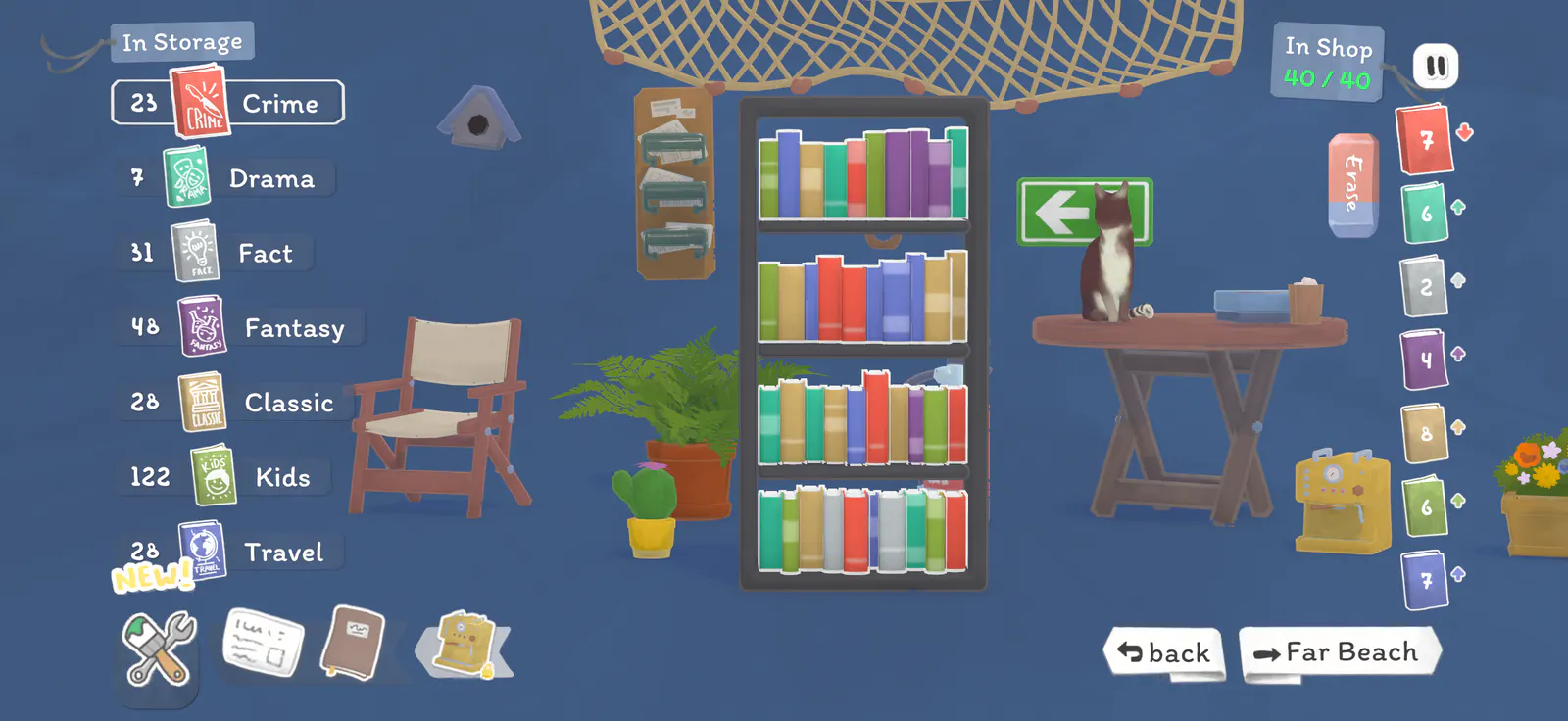
Treat decorations as tools, not just wallpaper
Decorating is part of the fantasy, but the objects are not purely cosmetic. The official mobile listing says items can affect customers and introduce mechanics. Independent beginner coverage also notes that the journal shows active shop effects.
Before opening, inspect the effect of each equipped object and ask what it contributes today. A genre boost is useful when it matches the location and stock. An object that changes customer behavior may be more useful on a day built around a challenge or recommendation goal.
Avoid changing the entire trailer after every weak sales day. Change one or two items, keep the stock and location reasonably stable, and watch the result. That makes it easier to learn which effect mattered instead of confusing several changes at once.
Also recheck the equipment screen after receiving a new object. NoobFeed’s beginner guide reports that story rewards can equip automatically when space is available, while purchased objects need to be added manually. A useful quest item sitting in storage cannot help the current day.
Read recommendation requests as a list of constraints
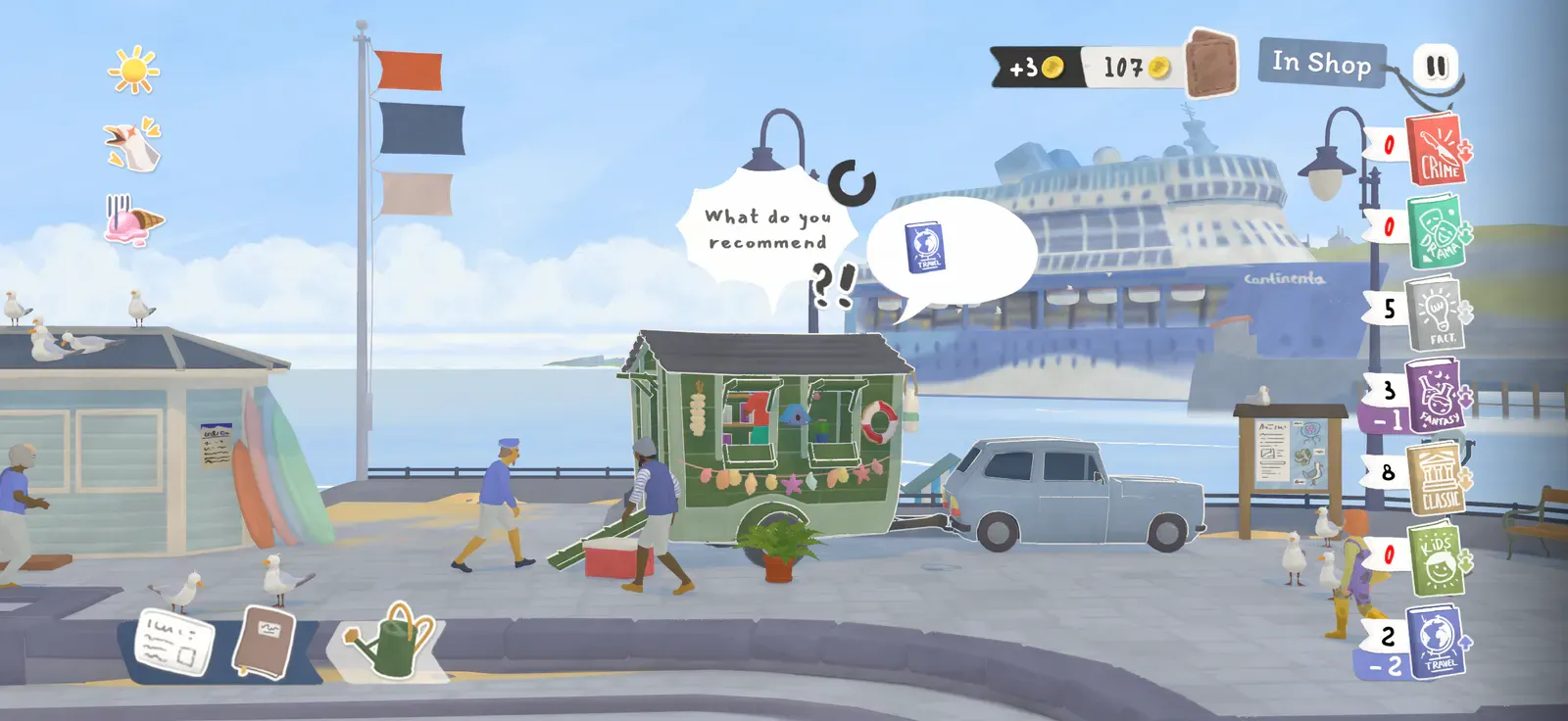
A customer asking for help is not looking for the highest-value book. The request describes a match. Current recommendation guides identify several kinds of clues:
- genre, such as crime, travel, classic, or fantasy;
- fiction or nonfiction;
- mood, including funny, dark, tragic, or lighthearted;
- length or page limit;
- topic, audience, or the presence of animals;
- publication period, series status, or a similar book the customer already enjoyed.
Use a simple elimination process:
- Remove books that break a clear “must” or “must not” condition.
- Match the requested genre or fiction status.
- Compare tone, length, topic, and publication clues.
- Read the remaining descriptions before making the choice.
The + symbols on a recommendation indicate how demanding the request is, according to Superealm’s current guide. A forgiving request may accept a partial fit; a harder one expects more constraints to line up.
Recommendation bubbles are timed, so handle them before optional scene interactions. Hadley’s mobile review notes that a successful recommendation can improve sales for the day, while special-character recommendations may also advance their stories. If no strong match exists, make the most defensible choice rather than searching until the timer disappears.
Make touch input less error-prone
The mobile version is designed around tapping, but small shelf targets can still cause mistakes. Use a deliberate rhythm instead of fast repeated taps:
- pause when you need to inspect a crowded screen;
- confirm the selected book before moving it;
- stock before opening whenever possible;
- avoid placing several similar books in rapid succession without checking the shelf;
- test landscape comfort and text size during the free trial.
Pocket Gamer’s mobile review specifically reports occasional accidental selections while stocking. That is a control limitation, not a reason to rush. A slower setup phase is cheaper than opening with the wrong genres or removing a book you meant to keep.
Follow one repeatable daily loop
Tiny Bookshop becomes easier when each day has a purpose. This loop keeps the management layer readable without turning the game into an optimization spreadsheet.
| Stage | What to do |
|---|---|
| Morning | Read the newspaper and inspect any book boxes before spending money |
| Plan | Choose a location, review its journal entry, and decide the day’s goal |
| Setup | Stock relevant genres, retain some variety, and equip useful items |
| Open | Prioritize timed recommendations and watch which genres sell |
| Explore | Tap the environment and talk to characters during quieter moments |
| Review | Note shortages, unused stock, and any new journal information for tomorrow |
The newspaper deserves attention because it can signal events and hint at the contents of mystery book boxes, as documented in the current Pocket Gamer review. Buying every box blindly leaves less room to react to what a location actually needs.
Understand what cloud saving does not promise
The developer’s mobile privacy policy says save files can be written to app-private cloud storage connected to a platform account, such as a Google Drive app folder. It also says the developer does not read those saves.
That supports syncing within the relevant platform account. It does not confirm cross-progression between Android, iOS, Steam, Switch, PlayStation, or Xbox. Do not uninstall one edition or buy another expecting the save to follow unless the developer explicitly confirms that transfer path.
A calmer first week in Tiny Bookshop
The strongest beginner habit is not maximizing coins. It is learning the relationship between place, readers, stock, and objects. Choose where you are going, prepare for that crowd, keep enough variety to answer unusual requests, and let one day’s results inform the next.
On mobile, add one final rule: accuracy beats speed. The free trial is long enough to test the touch interface and the game’s daily rhythm before paying. If both feel comfortable, the one-time unlock opens a complete, slow-paced management story rather than another recurring-spend mobile game.
Frequently asked questions
What should I do first each day in Tiny Bookshop?
Read the newspaper, review your available stock, choose a location, check that location's known genre preferences in the journal, and equip items that support the day's plan. Stock the shelves before opening so you are not reorganizing while recommendation requests are expiring.
Is Tiny Bookshop free on Android and iOS?
The current mobile listing lets you play the first three in-game days free. Continuing requires a one-time full-game unlock; the Google Play listing says the game has no ads or microtransactions beyond that unlock. Price and availability can vary by country.
Which book genres should beginners stock in Tiny Bookshop?
Stock for the location rather than using the same mix every day. After visiting a place, check its journal entry for popular genres, then keep a smaller variety of other genres available for recommendation requests and special customers.
Does Tiny Bookshop have cloud saves on mobile?
The developer's mobile privacy policy says saves can sync through the player's platform account and app-private cloud storage. That supports same-platform device syncing, but it does not confirm that saves transfer between Android, iOS, PC, or console versions.
Is there a penalty for a wrong book recommendation?
A current independent recommendation guide reports no lasting account or progression penalty: the customer can reject the book and the temporary sales benefit is lost. Because this behavior is not documented in the official mobile listing, treat it as version-sensitive and check future update notes if the system changes.